
Published
You’re in the flow state, coding up your project when BAM, your cursor gets thicker than usual and starts deleting characters. How is that possible? And most importantly, how do you fix it?
Visual Studio Code known simply as VSCode is a top code editor for many around the world. It’s no surprise. It’s easy to work with, has great extensions, and supports many programming languages.
Now let’s go back to the scenario mentioned in the intro. What causes your cursor to change into a bulldozer, clearing characters in its path instead of modifying it?
Let’s have a brief look at what’s called the Overtype Mode
Overtype Mode is a text editing mode where new characters replace existing ones instead of being inserted. When activated, typing a letter will overwrite the character in front of the cursor rather than pushing it forward.
So, for the reason you probably clicked on the article — how do you fix this in VSCode? It’s fairly easy. Let’s go over 3 different steps to stop that cursor from ruining your code.
1. Press Insert Key
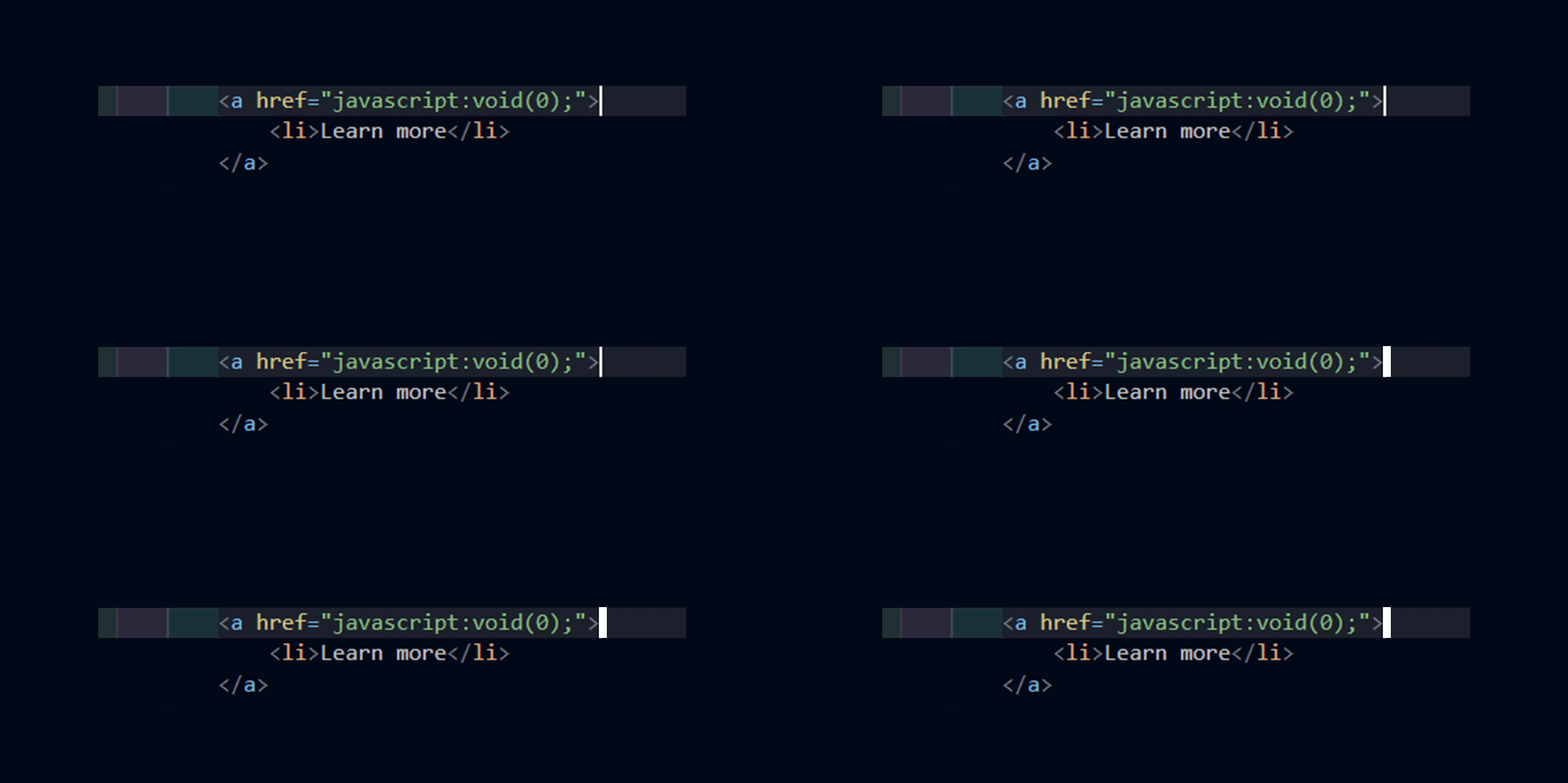
Simply press the Insert key on your keyboard (usually near the Backspace key).
This toggles between Insert Mode (normal typing) and Overtype Mode.
2. Check the Status Bar
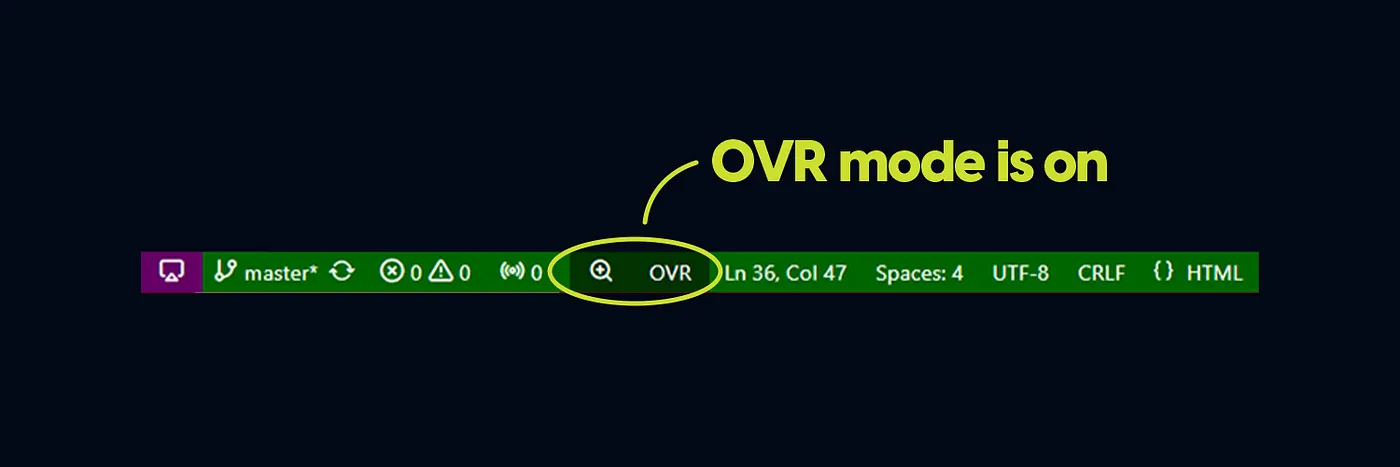
Look at the bottom right corner of VS Code.
If you see “OVR”, it means Overtype Mode is active.
Click on it to disable it.
3. Disable Overtype Mode Permanently
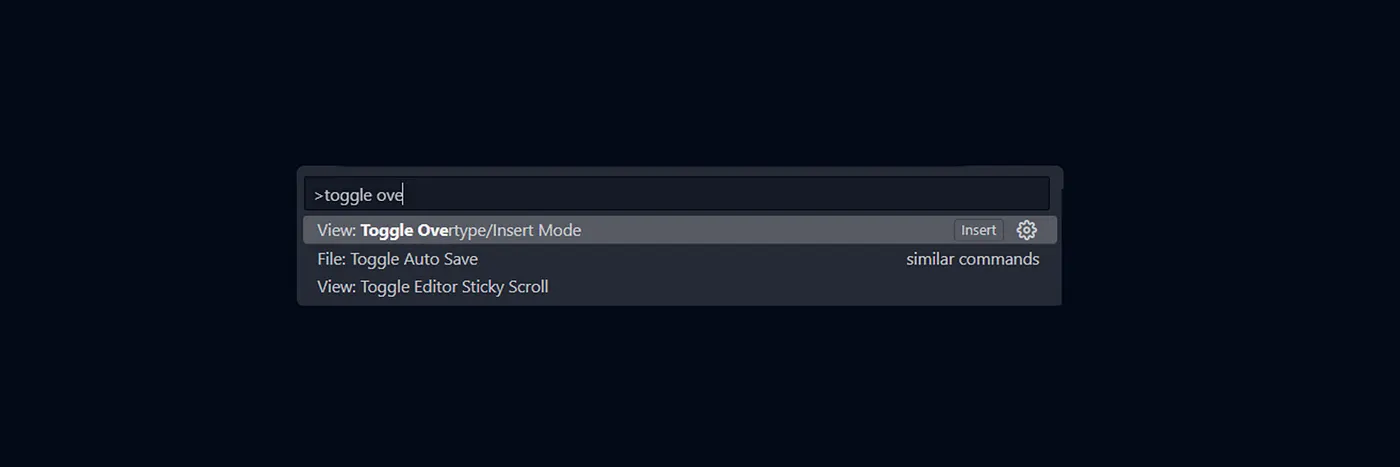
Open Command Palette (Ctrl + Shift + P or Cmd + Shift + P on Mac).
Search for “Toggle Overtype Mode”.
Click it to turn it off.
It’s that easy! Now you have control over this issue. If you found this article helpful, please share it with your fellow coders and let me know in the comments. Thank you for reading.
Ciao 👋
You might also like these
Local image not displaying in public folder: EASY fix -NextJS

My thoughts after creating a notes web app

How to easily style active link in NextJS
VS Code Cursor Problem: Why It’s Deleting Instead of Inserting Text

How to install Tailwind v4 in a Vite project

Use your custom 404 component on Vercel — Easy Fix

Space vs. Gap — Tailwind CSS Explained

How to create a reusable Button component in ReactJS with TailwindCSS